High-Accuracy AI-Powered Recognition for PDFs
Extracting text from scanned PDF documents can often be a frustrating experience. Star PDF Watermark now includes a powerful PDF OCR (Optical Character Recognition) feature that utilizes AI Large Language Models to provide exceptional recognition accuracy. Unlike basic OCR tools that struggle with complex PDF layouts or low-quality scans, our AI-driven system intelligently understands document context and formatting, ensuring the text you extract is highly accurate and ready to use.
Simple 2-Step Process to Extract Text
We've designed the PDF OCR feature to be incredibly user-friendly. You can extract text from your PDFs in just two simple steps:
-
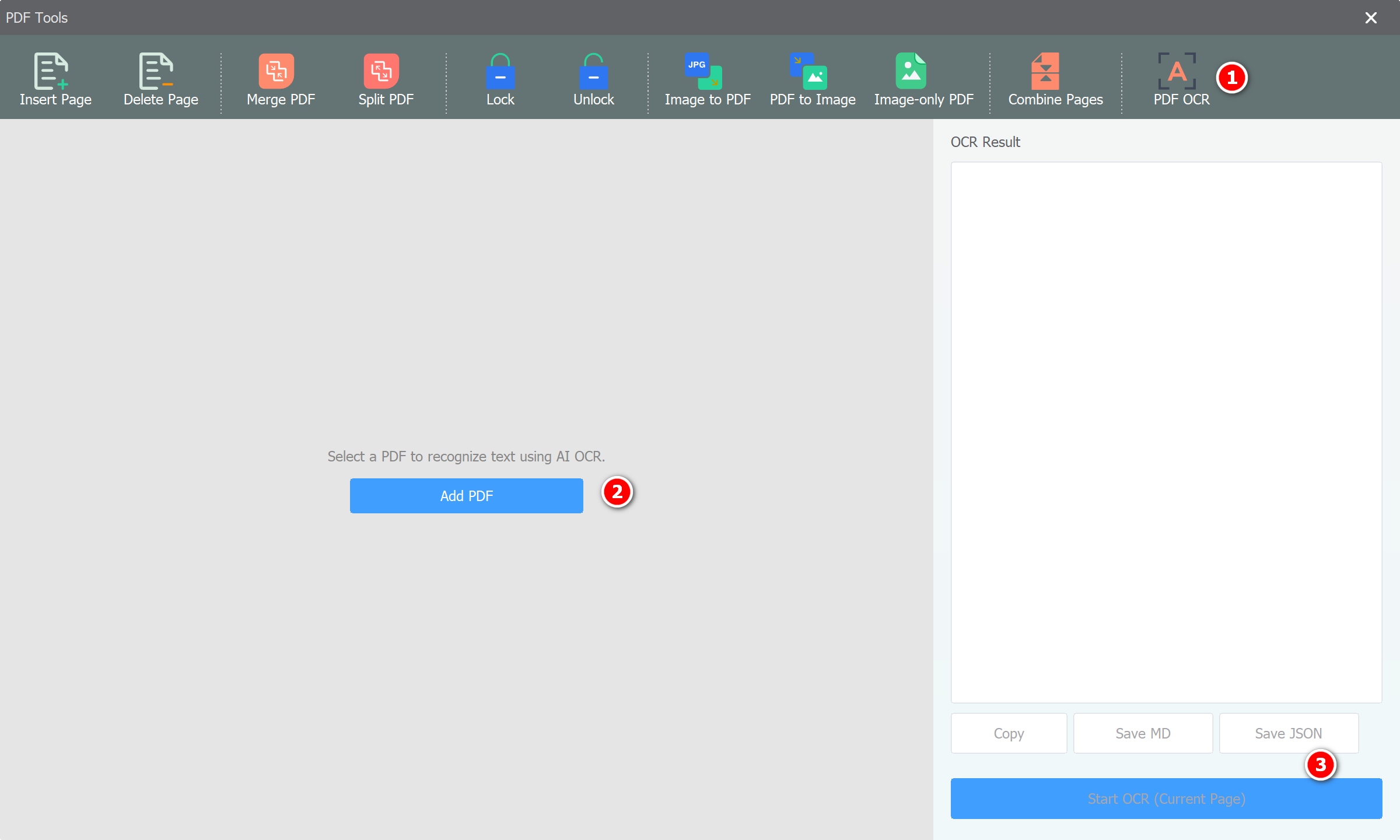
Add Your PDF Files
Begin by opening Star PDF Watermark and adding the PDF documents you wish to process. You can drag and drop your files directly into the application or use the "Add Files" button. Our software handles both single-page and multi-page PDF documents effortlessly.
-
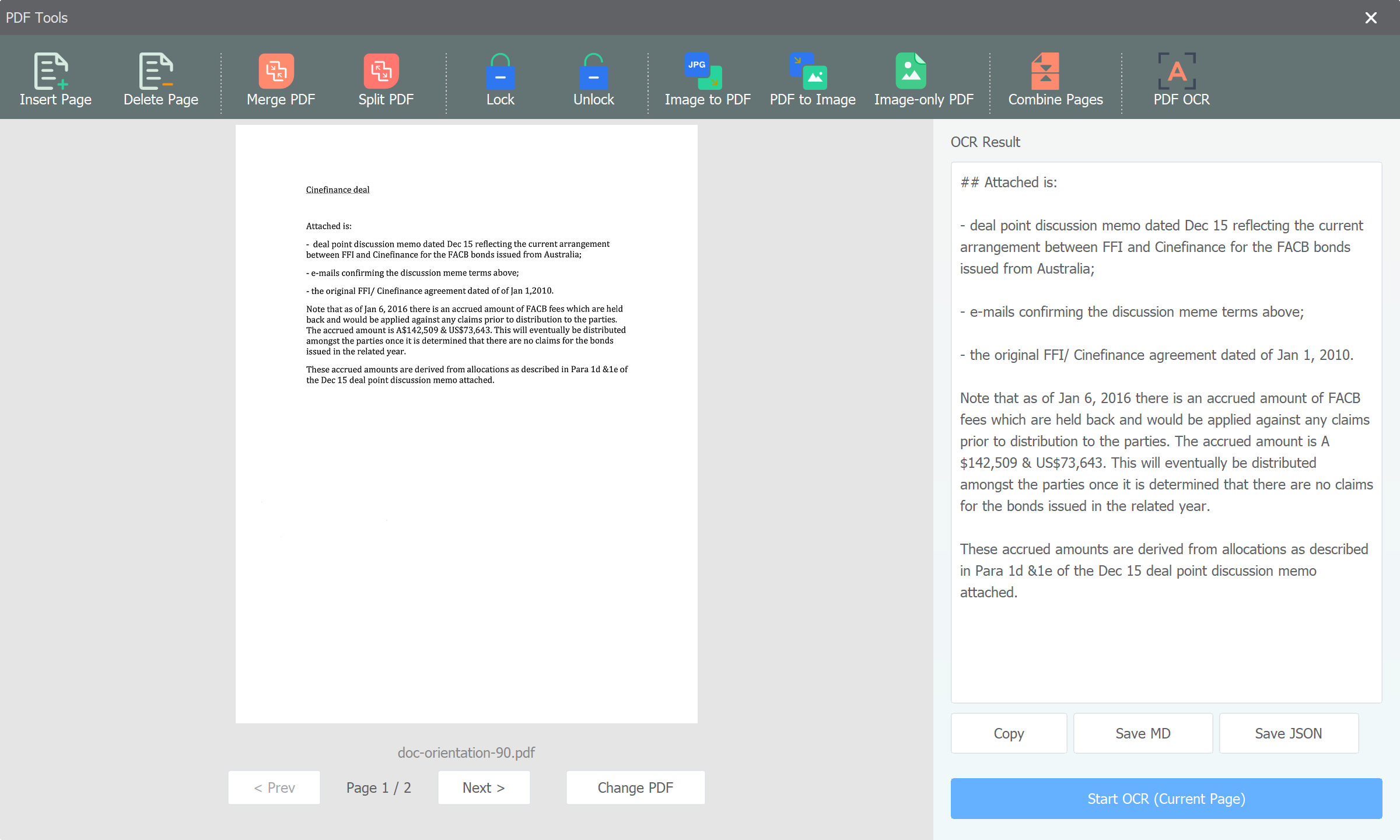
Click OCR Recognize
After your PDF is loaded, navigate to the OCR section and click the recognition button. The application will process the pages using our advanced AI models and display the extracted text. You can easily copy this text to your clipboard or save it for further editing.
Boost Your Productivity
The PDF OCR feature is built to save you valuable time. Whether you need to digitize printed reports, extract data from scanned invoices, or convert academic papers into editable text, Star PDF Watermark's AI-powered OCR makes it a breeze. Say goodbye to manual typing and hello to streamlined document management.
Conclusion
With its superior recognition rate and intuitive interface, the new PDF OCR feature in Star PDF Watermark is an essential tool for anyone working with digital documents. Experience the convenience and accuracy of AI-driven text extraction today and take your productivity to the next level!